Instagram & Polymarket scrapers, ready on Apify
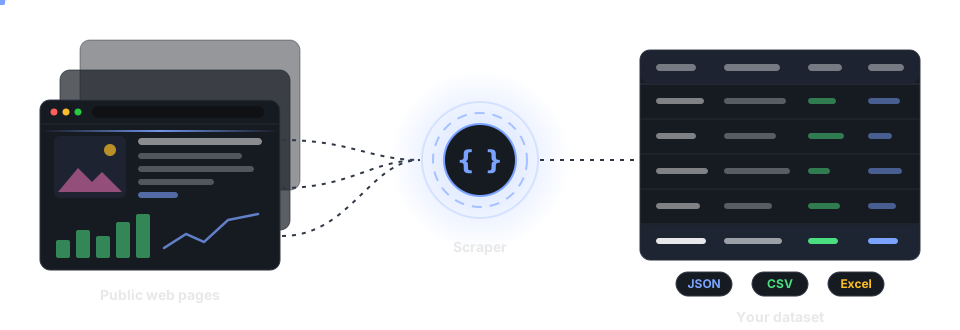
Four scrapers that run on Apify. An Instagram scraper for profiles, posts, reels and hashtags, an Instagram profile scraper, an Instagram comment scraper with sentiment analysis, and a Polymarket scraper for prediction-market prices, order books and top holders. Fill in a form or send one API call, and download the data as JSON, CSV or Excel.
- From $1.75 per 1,000 results
- One flat rate for every Apify plan
- Error rows are free
- No login of yours needed
The four scrapers
Instagram Scraper
Profiles, posts, reels, comments and hashtags from any mix of URLs.
Instagram Profile Scraper
One row per account: followers, post count, engagement averages, latest posts.
Instagram Comment Scraper
Comments from posts or accounts, each with a sentiment label and score.
Polymarket Scraper
Markets ranked by volume, or any market in depth: books, trades, holders.
Quick start
- Open the Actor on Apify from one of the links below. A free Apify account is enough to try it.
- Fill in the form, or switch the input to JSON and paste one of the examples on this page.
- Click Start. When the run finishes, open the Output tab to view the rows, or export them as JSON, CSV or Excel.
- Automate it through the Apify API, or schedule it in the Apify Console.
Instagram Scraper
Profiles, posts, reels and comments from profile URLs, bare handles, post URLs and hashtag URLs, or from a hashtag search. You can mix the kinds in one run. Choose what comes back with resultsType.
Input
| Field | What it does | Default |
|---|---|---|
directUrls | Profile URLs (https://www.instagram.com/nasa/), handles (nasa), post or reel URLs, or hashtag URLs (/explore/tags/travel/). | none |
resultsType | details (the profile row), posts, reels or comments. | posts |
resultsLimit | Per profile. Posts and reels up to 1,000; comments up to 5,000 per post. | 30 |
commentsPostLimit | With comments: how many recent posts to read comments from. | 12 |
search, searchLimit | A hashtag or keyword (a leading # is fine) and how many of its posts to return. About 60 is what Instagram keeps per word for a logged-out visitor. | none, 24 |
onlyPostsNewerThan | A date (2026-07-01) or a span (3 days, 2 weeks). | no cutoff |
enrichPosts | Reads each post's own page for timestamp, likes, comment count, dimensions and tagged accounts. | on |
includeRelatedProfiles | Also returns the accounts Instagram suggests next to each profile. | off |
includeMediaUrls | Adds image and video URLs. Instagram signs them and they expire, so download promptly. | off |
addParentData | Adds ownerId and ownerFullName to every post row. | off |
Example input
{
  "directUrls": ["https://www.instagram.com/nasa/", "natgeo"],
  "resultsType": "posts",
  "resultsLimit": 30,
  "onlyPostsNewerThan": "2 weeks"
}
What a row holds
Post rows: shortCode, url, type, caption, hashtags, timestamp, likesCount, commentsCount, videoViewCount, ownerUsername and more. Profile rows: username, fullName, followersCount and the account's totals. Comment rows: text, ownerUsername, timestamp, likesCount, postUrl.
Instagram Profile Scraper
Give it handles and get one row per account: followers, following, post count, biography, verification, category and engagement averages, with the latest posts nested inside the row.
Input
| Field | What it does | Default |
|---|---|---|
usernames | Required. Handles (nasa) or profile URLs. Post, hashtag and place URLs are refused with a reason. | none |
resultsLimit | How many recent posts to nest in latestPosts (1 to 200). The account's totals don't depend on it. | 12 |
onlyPostsNewerThan | Drops nested posts older than a date or span. The profile row is returned either way. | no cutoff |
enrichPosts | Completes each nested post with timestamp, likes, comment count, dimensions and tagged accounts. | on |
includeRelatedProfiles | Also returns the accounts Instagram suggests next to each profile. | off |
includeMediaUrls | Adds the signed, expiring image and video URLs to nested posts. | off |
Example input
{
  "usernames": ["nasa", "natgeo"],
  "resultsLimit": 12
}
What a row holds
username, fullName, biography, verified, followersCount, followsCount, postsCount, avgLikes, avgComments, avgVideoViews, engagementRatePct, url, collectedAt, and latestPosts as a list.
Instagram Comment Scraper with Sentiment
Comments from post and reel URLs, or from an account's recent posts. Every comment arrives with a sentiment label and score at no extra charge. Only this listing sells sentiment.
Input
| Field | What it does | Default |
|---|---|---|
directUrls | Required. Post or reel URLs (https://www.instagram.com/p/…/), one per line. A profile URL or handle reads that account's recent posts. | none |
resultsLimit | Comments per post, up to 5,000. You get that many, or every comment the post exposes when there are fewer. | 100 |
includeNestedComments | Kept for compatibility with other comment scrapers. It must stay off, because replies can't be read without a login. | off |
Example input
{
  "directUrls": ["https://www.instagram.com/p/Dc6zTucHTv8/"],
  "resultsLimit": 500
}
What a row holds
text, ownerUsername, timestamp, likesCount, postUrl, commentUrl, sentimentLabel (positive, neutral or negative) and sentimentScore. Comments are the slow part, at roughly one per second per post, so a large resultsLimit means a longer run.
Polymarket
Polymarket Scraper: Markets, Order Books & Top Holders
Two modes. Market list ranks open markets by 24-hour volume or liquidity, up to 10,000 per run. Market insight reads the markets you name in depth, one row each, read live when the run asks.
Input
| Field | What it does | Default |
|---|---|---|
mode | markets (a ranked list) or insight (markets in depth). | markets |
maxResults | List mode: how many markets, from the top of the ranking (1 to 10,000). | 100 |
sortBy | List mode: volume24hr or liquidity, highest first. | volume24hr |
includeClosed | List mode: also admit resolved markets. | off |
markets | Insight mode: market URLs (https://polymarket.com/event/<event>/<market>), slugs or numeric ids, up to 500. An event URL works when the event holds a single market. | none |
bookDepth | Insight mode: order-book levels per side and outcome (1 to 50). | 5 |
tradesLimit | Insight mode: recent trades to include (0 to 500). | 15 |
holdersLimit | Insight mode: top holders per outcome (0 to 20). | 10 |
Example inputs
{ "mode": "markets", "maxResults": 250, "sortBy": "volume24hr" }{
"mode": "insight",
"markets": [
"https://polymarket.com/event/nba-2027-champion/will-oklahoma-city-thunder-win-the-2027-nba-finals"
],
"bookDepth": 5,
"tradesLimit": 15,
"holdersLimit": 10
}What a row holds
Every row: question, url, eventTitle, outcomes, outcomePrices, volume, volume24h, liquidity, bestBid, bestAsk, spread, oneDayPriceChange, endDate. An insight row adds outcomeStats (order book and 24-hour open, close, low and high per outcome), openInterest, recentTrades and topHolders.
Run it through the API
Every Actor is also an API endpoint. Use your token from Apify Console › Settings › API & Integrations. This call runs an Actor and returns its rows in one response:
curl -X POST \
  "https://api.apify.com/v2/acts/JD1VgW5yGyRLTwWGr/run-sync-get-dataset-items" \
  -H "Authorization: Bearer $APIFY_TOKEN" \
  -H "Content-Type: application/json" \
  -d '{"usernames": ["nasa"], "resultsLimit": 12}'
That id is the Instagram Profile Scraper. To call another Actor, change it in the URL: mf6PBXdXdL3j5RJBC for the Instagram Scraper, lX185UeTCz49FZGH4 for the Instagram Comment Scraper or hm8qX4h0fwBvx82jv for the Polymarket Scraper. The synchronous endpoint waits at most 300 seconds. For long runs, such as thousands of comments, start the run and read the dataset when it finishes. The Python client does both for you:
pip install apify-client

from apify_client import ApifyClient

client = ApifyClient("YOUR_APIFY_TOKEN")
run = client.actor("hm8qX4h0fwBvx82jv").call(  # Polymarket Scraper
    run_input={"mode": "markets", "maxResults": 100}
)
for row in client.dataset(run["defaultDatasetId"]).iterate_items():
    print(row["question"], row["volume24h"])
Pricing
Pay per result, one flat price for every Apify plan: $1.75 per 1,000 results for the Instagram scrapers and $2.20 per 1,000 results for the Polymarket scraper. Charges happen as rows land in your dataset. Set a spending limit on a run and it stops before the limit, never after it. Error rows, which explain why an input produced no data, are never charged.
| You collect | You pay |
|---|---|
| 100 Instagram posts | $0.175 |
| 1,000 profiles | $1.75 |
| 5,000 comments with sentiment | $8.75 |
| The top 1,000 Polymarket markets | $2.20 |
One result is one dataset row: a profile, a post, a comment or a market. Apify platform usage is not charged on top. The Pricing tab of each Actor on Apify shows the current terms.
FAQ
Do I need an Instagram or Polymarket account?
No. The Actors read only what a logged-out visitor can see: public profiles, public posts and their comments, and Polymarket's public market data. They never log in, and they never post, like, follow or trade.
What about private Instagram accounts?
Their posts and comments aren't collected. Ask for the posts or comments of a private account, or of one with no posts, and you get a free error row that says so. The Profile Scraper still returns what a private account shows publicly: its name, follower counts and post count.
How fresh is the data?
Instagram rows carry collectedAt, the time the data was read. Polymarket rows are read live when your run asks for them.
Why did my run return error rows?
Every input that produced no data gets one row with an error code and an errorDescription in plain words. Examples: a link that isn't a profile or post, a private account, or a Polymarket event with several markets where you need to pick one. Error rows are free.
Can I use the data for anything I like?
Instagram rows can contain personal data, such as usernames and comment text. You are responsible for having a lawful basis to process it, for example under the GDPR, and for respecting the terms of the sites involved. Collect only what you need.
Where do I report a problem or ask for a feature?
Open the Issues tab of the Actor on Apify.